Best Antivirus Software: क्या आपको पता है कि हर 39 सेकंड में एक cyber attack होता है? और कितना नुकसान होता है। आज हम इस पर बात करेंगे क्या आपका Laptop या Mobile सच में सुरक्षित है? और क्या Free Antivirus काफी है या Paid लेना जरूरी है?
यह एक सवाल हमारे मन में हमेशा आता है, अगर आज आपका Data चोरी हो जाए तो क्या होगा? Best Antivirus Software 2026 Guide। Windows, Mac और Mobile के लिए Top Security Tools और Comparison जानें।
यही वजह है कि सही Best Antivirus Software चुनना अब Option नहीं, जरूरत बन चुका है। 2026कौन सा Antivirus सच में आपके डेटा को 100% सुरक्षित रखेगा।
आज Internet हमारी जिंदगी का हिस्सा है। जैसे Online Banking, UPI, Shopping, Work From Home…लेकिन हर क्लिक के साथ Risk भी बढ़ रहा है।

क्या Free Antivirus सिर्फ Basic Protection देता है या और कुछ
Paid Antivirus Full Security देता है या नहीं। हम जानेगे की Banking Users को Premium Plan लेना चाहिए या Normal और Antivirus Official Website से ही खरीदें या फिर है से भी। Antivirus का कौन सा Plan ज्यादा Value देता है Single-Device या Multi-Device फायदा किस में हैं।
सबसे अधिक पढ़ी गईं
- Best Antivirus Software: कौन सा जो सच में आपके डेटा को 100% सुरक्षित रखेगा?
- 90% लोग नहीं जानते फ़ोन सेटिंग्स की ये सीक्रेट, वरना बैंक अकाउंट खाली हो सकता है!
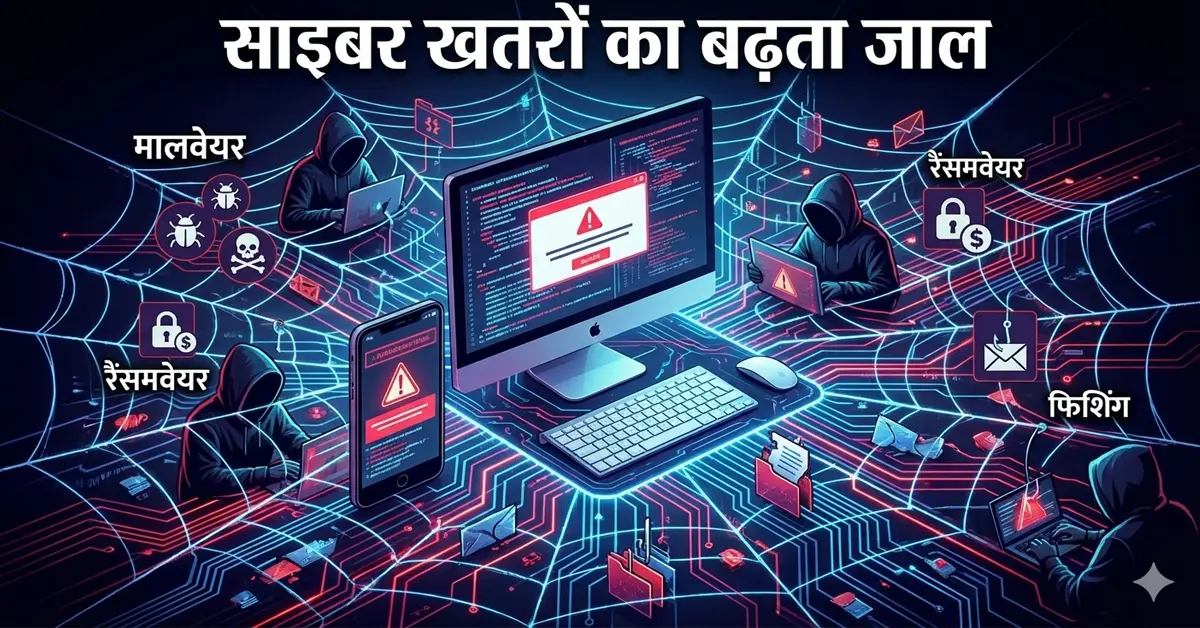
Malware, Ransomware, Phishing Attack, Spyware – ये सब चुपचाप आपके सिस्टम में घुस सकते हैं। सोचिए… आपकी Personal Photos, Bank Details, Office Files…सब एक Virus की वजह से Lock हो जाएं। और Screen पर लिखा आए – “Pay ₹50,000 to unlock your files.” डरावना है, है ना? इसीलिए हमने Detailed Guide बनाई है जिससे आप इस Article के बाद Confuse नहीं होंगे और आपको मिलेगा:
- 2026 के Best Antivirus Software Options
- Free vs Paid Comparison
- Windows, Mac, Android के लिए Best Choice
- High CPC Security Tools की जानकारी
- Step-by-Step Antivirus चुनने का तरीका
लोग Antivirus Install तो कर लेते हैं, लेकिन बाद में पछताते हैं।
- Fake Software Download कर लेते हैं
- Expired License Use करते हैं
- Free Version पर Depend रहते हैं
- Features Compare नहीं करते
- “कौन सा Antivirus सबसे Best है? नहीं जानते”
- “Free Antivirus Safe है या नही ?”
- “क्या Paid Antivirus Worth It है?”
- “क्या Laptop Slow तो नहीं होगा?”
Confusion ज्यादा है, सही जानकारी कम तो Best Antivirus चुनने के 3 Golden Rules आपकों हमेशा याद रखना होगा।
- Real-Time Protection होना चाहिए
- Ransomware Protection जरूरी है
- Regular Updates मिलना चाहिए
- साथ ही, Brand Trusted होना चाहिए।
अगर आप यह कम करतें है तो तो Free Antivirus काफी नहीं है।
- Online Banking करते हैं
- Office Work Laptop पर करते हैं
- Important Data Store करते हैं
Best Antivirus कैसे चुनें?
Step 1: अपने Device का Type पहचानें
हर Platform के लिए अलग Security जरूरत होती है, इसलिए अपने Device का Type चुने:
- Windows PC
- MacBook
- Android Phone
- iPhone
Step 2: Free vs Paid समझें
Free Antivirus:
- Basic Virus Scan
- Limited Protection
Paid Antivirus:
- Real-Time Protection
- Firewall
- VPN
- Identity Theft Protection
अगर Online Banking करते हैं → Paid Version ही बेहतर।
Step 3: Top Rated Antivirus Software Compare करें
1️⃣ Norton 360 Antivirus
✔ Real-Time Threat Protection
✔ Built-in VPN
✔ Dark Web Monitoring
✔ Parental Control
Best For: Complete Security Suite
2️⃣ Bitdefender Total Security
✔ Advanced Malware Protection
✔ Lightweight Performance
✔ Multi-Device Support
Best For: Fast & Strong Protection
3️⃣ Kaspersky Internet Security
✔ Strong Ransomware Protection
✔ Webcam Protection
✔ Safe Banking Mode
Best For: Online Banking Users
4️⃣ McAfee Total Protection
✔ Identity Theft Protection
✔ Unlimited VPN (Premium Plan)
✔ Password Manager
Best For: Family Protection
5️⃣ Quick Heal Antivirus
✔ Indian Brand
✔ Affordable Plan
✔ Basic to Advanced Protection
Best For: Budget Users
Step 4: Features Compare करें
ध्यान दें:
- Malware Detection Rate
- System Performance Impact
- Customer Support
- Price vs Features
Step 5: Official Website से खरीदें
Cracked Software मत Use करें।
वही Virus बन सकता है।
- Top 10 AI: दुनिया के सबसे शक्तिशाली AI टूल्स का भविष्य!

- Best Antivirus Software: कौन सा जो सच में आपके डेटा को 100% सुरक्षित रखेगा?
- AI Tools से पैसा कमाने के 10 धमाकेदार तरीके 2026 में शुरू करें, वरना देर हो जाएगी!

- क्या हो जब इंसानों की तरह सोचने लगे AI? आने वाले समय का सच जो आपको चौंका देगा!

- Google Internship: गूगल के साथ काम करने का मौका! 12,000 डॉलर (लगभग ₹10 लाख) जानें योग्यता व आवेदन की अंतिम तिथि

- 90% लोग नहीं जानते फ़ोन सेटिंग्स की ये सीक्रेट, वरना बैंक अकाउंट खाली हो सकता है!
Comparison Table
| Antivirus | Best For | Key Feature | Price Range |
| Norton 360 | Full Security | VPN + Dark Web Monitoring | Premium |
| Bitdefender | Performance | Advanced Malware Protection | Mid-High |
| Kaspersky | Online Banking | Safe Money Mode | Mid |
| McAfee | Family | Identity Protection | Mid |
| Quick Heal | Budget | Affordable Security | Low |
Features / Benefits
✔ Real-Time Virus Protection
✔ Ransomware Shield
✔ Secure VPN
✔ Password Manager
✔ Anti-Phishing Protection
✔ Identity Theft Protection
✔ Cloud Backup Option
Pros & Cons
| Pros | Cons |
| Complete Data Security | Paid Plans Expensive हो सकते हैं |
| Safe Online Banking | Low-End PC में Heavy Software Slow कर सकता है |
| Virus Free System | |
| Peace of Mind |
Internet Safe नहीं है। लेकिन आपका System Safe हो सकता है। अगर आप आज सही Best Antivirus Software Install करते हैं, तो आप अपने Data, Money और Privacy को बचा सकते हैं। Cyber Attack Warning नहीं देता। आज Protect करें, कल पछताएं नहीं। Limited Time Deals अक्सर चलती रहती हैं Late मत करें।
यह Guide आपको डराने के लिए नहीं है। बल्कि Protect करने के लिए है। Digital World में Safe रहना आपकी जिम्मेदारी है। आज Action लें।
👉 अभी Trusted Antivirus चुनें।
👉 Article Share करें ताकि आपके दोस्त भी सुरक्षित रहें।
👉 Comment में बताएं आप कौन सा Antivirus Use करते हैं और क्या आपने भी cyber attack से कितना नुकसान झेला है।
FAQs
Q1: क्या Windows Defender काफी है?
Basic Protection देता है।
लेकिन Advanced Threat Protection के लिए Premium Antivirus बेहतर है।
Q2: Free Antivirus Safe है?
Limited Protection देता है।
Serious Users के लिए Recommended नहीं।
Q3: क्या Antivirus System Slow करता है?
Good Antivirus Lightweight होता है।
Bitdefender जैसे Software Performance Friendly हैं।
Q4: एक License कितने Devices पर काम करता है?
Plan पर Depend करता है।
Multi-Device Plan 3–10 Devices तक Support देता है।
Q5: Antivirus कब Renew करना चाहिए?
Expiry से पहले Renew करें।
Otherwise System Vulnerable हो सकता है।
- “Cyber Security क्या है?”
- “Best VPN for India”
- “How to Protect Laptop from Hackers”
- Norton Official Plan Link
- Bitdefender Discount Offer
- McAfee Family Pack

धर्मेन्द्र सिंह – टेक ब्लॉगर और डिजिटल क्रिएटर, जबलपुर (म.प्र.) से।मैं वेब डेवलपमेंट, AI, कोडिंग, डिजिटल स्किल्स, फ्रीलांसिंग ग्रोथ, डिजिटल कंसल्टिंग, SEO और वीडियो एडिटिंग में विशेषज्ञ हूँ और लोगों को ऑनलाइन सीखने व कमाने में मदद करता हूँ।
अनुभव: 10+ वर्षों का अनुभव वेब डेवलपमेंट, गेम डिजाइनिंग, सॉफ्टवेयर प्रोजेक्ट्स, वीडियो प्रोडक्शन और ब्लॉगिंग में।
विशेषज्ञता: वर्डप्रेस डेवलपमेंट, SEO फ्रेंडली कंटेंट राइटिंग, सोशल मीडिया डिजिटल मार्केटिंग, मोबाइल व पीसी गेम डिजाइनिंग, AI प्रॉम्प्ट इंजीनियरिंग, कोडिंग (Python, JavaScript, PHP) और वीडियो एडिटिंग टूल्स (Premiere Pro, After Effects)।
उपलब्धियाँ: कई सफल ब्लॉग्स, ऐप्स और डिजिटल प्रोजेक्ट्स लॉन्च किए; फ्रीलांसिंग और ऑनलाइन इनकम जनरेशन में लोगों को प्रशिक्षित किया।
मिशन: मेरा उद्देश्य है कि लोग डिजिटल स्किल्स सीखें, ऑनलाइन कमाएँ और अपने करियर में ग्रोथ हासिल करें।
टेक्नोलॉजी के अलावा मुझे नई चीज़ें सीखना, नए टूल्स पर रिसर्च करना और अपने अनुभव साझा करना पसंद है।